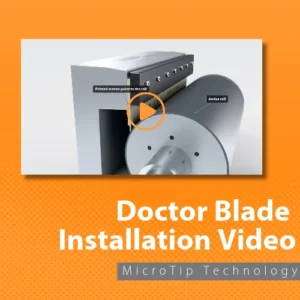
Doctor Blade Installation: 3 Keys to Success
On a flexographic press, doctor blade installation decides how evenly the anilox roll meters ink to the plate. A correctly installed doctor blade makes light, uniform contact across the whole anilox roll and wipes excess ink cleanly. Getting the 3 keys right, handling, orientation and pressure, prevents streaks, leaks, anilox scoring and early blade wear.
The 3 keys to doctor blade installation:
- HandlingProtect the doctor blade edge from damage when handling.Clean the surface of the doctor blade holder before inserting the doctor blade.
- OrientationSeat the blade flat and fully in the holder, then tighten from the center out.Optimal blade angle is between 28° and 32°.Bevel blades: install with the bevel away from the roller surface. MicroTip blades: the printed arrows point toward the anilox roll.
- PressureApply the minimum amount of pressure needed to wipe the roller cleanly.Minimizing blade pressure extends blade life and reduces the chances of damaging the roller.
How should you handle a doctor blade before installation?
Handle the doctor blade with care to avoid damage. Be sure to check along the edge of the blade for nicks or bends. Before inserting the doctor blade, clean the blade holder. A damaged edge prints as a streak, and dried ink in the holder stops the blade from seating flat.
How do you know the doctor blade and chamber are oriented correctly?
A doctor blade is oriented correctly when every contact point touches the anilox roll at the same moment as the chamber or blade holder engages. A dual-blade chamber has 4 checkpoints, top and bottom blades at both ends; a single-blade holder has 2. If one point touches first, adjust the alignment before adding any pressure.
Orientation starts in the holder. Seat the blade flat and fully, then tighten the holder from the center bolt outward, or from one end straight across to the other. Never start at both ends and work in: that pushes any high spots toward the middle of the blade, where they cause a ripple.
Overtightening the holder is one of the most common causes of a rippled blade, and a rippled blade can’t make even contact with the anilox roll. Flexo Concepts’ chamber alignment guide lists poor blade installation, meaning a blade that isn’t properly seated or is overtightened, as one of the three causes of incorrect contact.
Bevel blades: install the blade with the bevel away from the roller surface.
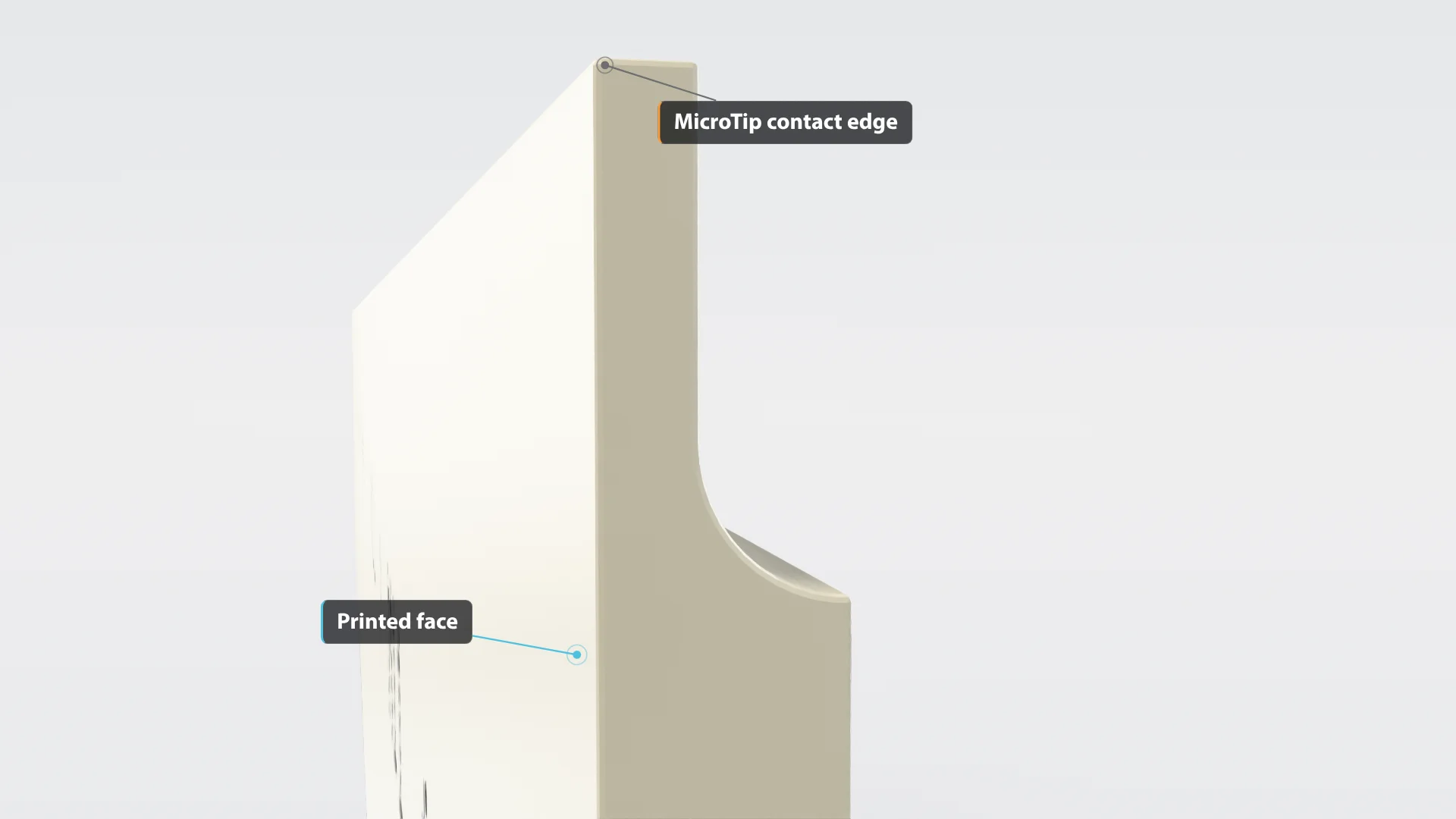
MicroTip blades: follow the printed arrows. Only TruPoint MicroTip blades carry printed text and arrows; bevel blades are not printed. The printed face reads “Anilox Contact Here” with the MicroTip size (for example, M11), and the arrows always point toward the MicroTip contact edge, which sits against the anilox roll. Looking down at the blade as you set up the chamber or blade holder, the text reads right side up and the arrows point to the roll. A common mistake is reading the arrows as “this way into the chamber,” which installs the blade backwards.
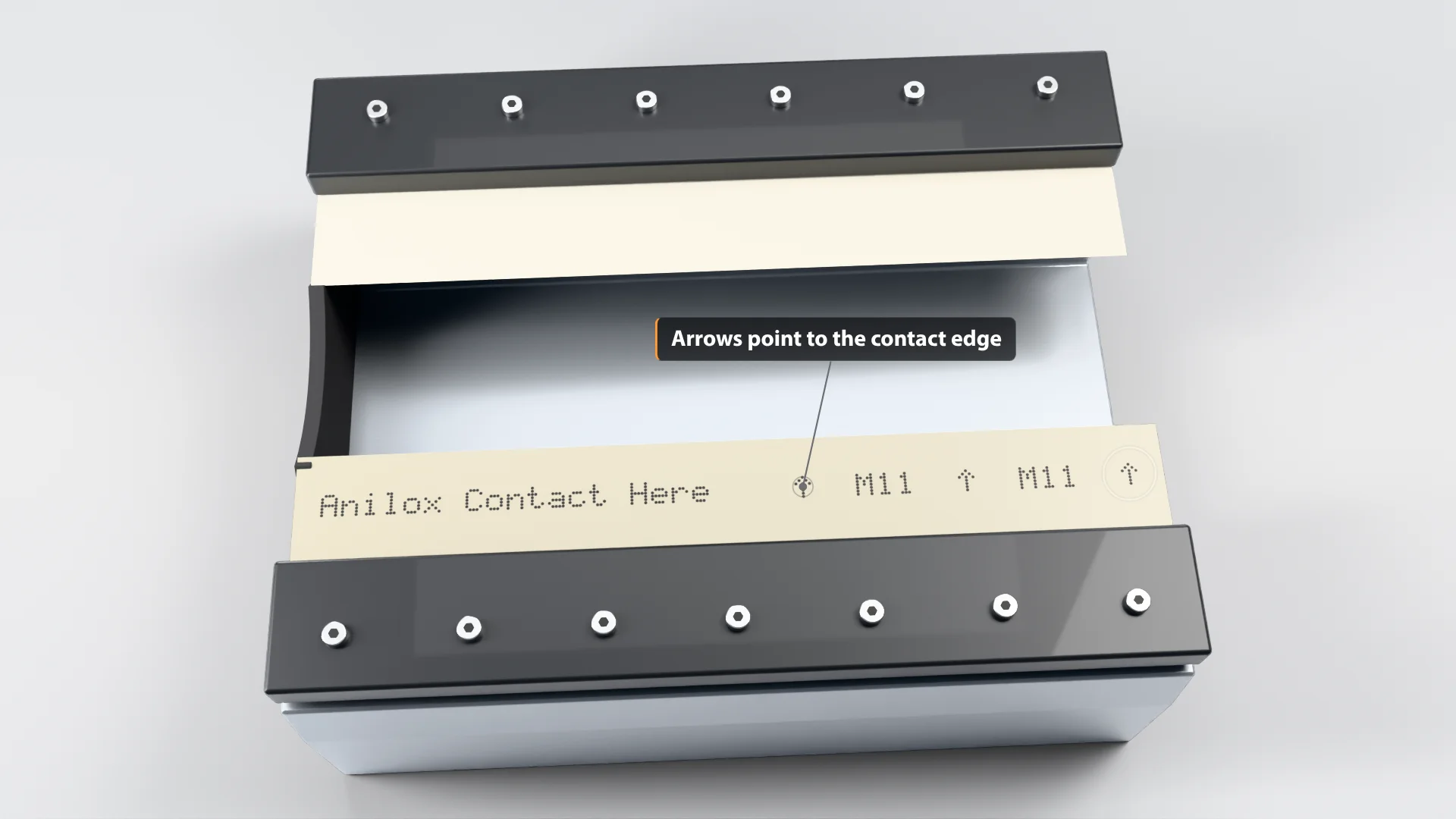
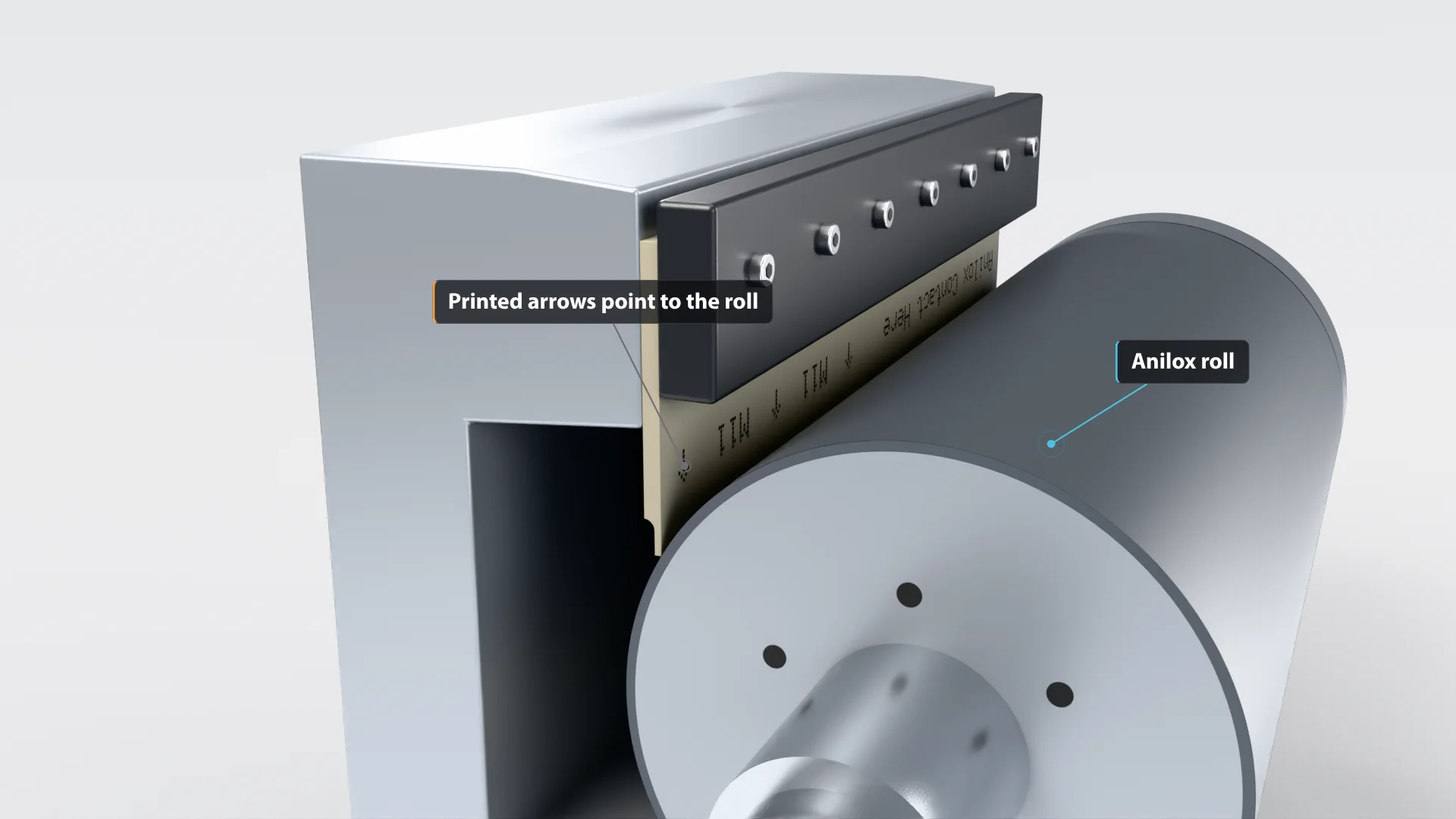
Bring the chamber or blade holder in slowly and watch the contact points. Our chamber alignment guide recommends removing the end seals for a clear view and using a feeler gauge, or even a business card, to compare blade-to-anilox pressure side to side. When alignment is right, light pressure alone produces a clean wipe.
How much pressure should a doctor blade have?
A doctor blade needs only the lightest pressure that keeps the chamber sealed and the anilox roll wiped clean. Judge it by the inked roll: a glossy surface means ink is being left behind, a satin finish means the pressure is right, and a roll that turns glossy again after more pressure is flooding.
| What you see on the inked anilox roll | What it means | What to do |
|---|---|---|
| Glossy finish | Ink is being left on the surface | Increase pressure gradually |
| Satin finish | Correct pressure; the blade is shearing excess ink cleanly | Stop here |
| Glossy again after adding pressure | The blade edge is bending and hydroplaning, so the roll floods | Back off the pressure |
| Ink density heavier on one side than the other | Uneven contact, usually alignment | Re-check the 4 (or 2) contact points before touching pressure |
| Streaking after setup | Too much pressure; the blade edge is bending under load | Back off and reduce pressure. Don’t tighten further |
| Faint lines in the first minutes of the run | Normal startup lines as a new blade beds in | No change needed; they fade on their own |
Streaking is easy to confuse with startup lines. Startup lines are faint and disappear within the first minutes of the run, while streaking is more pronounced and doesn’t go away. Operators often respond to streaking by adding pressure, but with a polymer doctor blade the fix is the opposite: back off.
Extra pressure doesn’t give a cleaner wipe. As our chamber alignment guide puts it, raising pressure to cover misalignment:
“may temporarily address ink or coating problems but will eventually cause accelerated wear of both the doctor blade and anilox roll.”
For more on protecting the roll, see how to prevent anilox roll scoring.
How can new operators get doctor blade installation right the first time?
New operators get doctor blade installation right by following the same written checklist at every changeover: inspect and seat the blade, confirm all contact points touch together, then set pressure to the satin finish. A one-page checklist turns the 3 keys into repeatable steps that a trainer can coach from.
New operators are still building the habits that experienced press crews follow without thinking, and installation is where those habits show up in the print. The most common mistake is reaching for more pressure when the print looks wrong. As the table above shows, check alignment first. It also helps to start new operators on blades that are easier to handle. Made from polymer rather than steel, TruPoint® doctor blades offer safer handling during changeovers while helping minimize anilox wear as operators learn to set pressure.

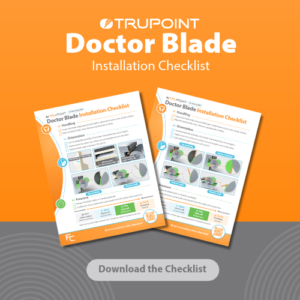
Free download: the Doctor Blade Installation Checklist
One printable page with the handling, orientation and pressure checks, plus a quick pre-run check. Made for training new operators.
Prefer a visual? Get the 3 Keys infographic
Why is careful doctor blade installation worth the extra five minutes?
Careful doctor blade installation is worth five minutes because it protects the anilox roll, one of the most expensive parts of the press, and keeps ink density consistent from the first print. Rushed installation usually costs more time later in streaks, leaks, extra pressure and unplanned blade changes during the run.
On a wide-web press, a single new anilox roll can cost around $30,000, so a few extra minutes at the blade holder is cheap insurance. Double-check handling, orientation and pressure at every installation, and the anilox roll will deliver the ink volume it was designed for.
See the difference on your press.
Doctor blade installation FAQ
How do you install a doctor blade correctly?
To install a doctor blade correctly, clean the blade holder, check the blade edge for damage, seat the blade fully and tighten the holder from the center out. Then engage the chamber or blade holder slowly and confirm every contact point touches the anilox roll at the same time. Finish by setting the lightest pressure that gives a satin finish on the inked roll. On TruPoint MicroTip blades, check that the printed arrows point toward the anilox roll before you tighten; bevel blades are not printed. A one-page installation checklist keeps every operator on the same steps.
Which way do the arrows on a MicroTip doctor blade point?
The printed arrows on a TruPoint MicroTip doctor blade always point toward the MicroTip contact edge, the edge that sits against the anilox roll. Only MicroTip blades carry printed text and arrows; bevel blades are not printed. When you look down at the blade during setup, “Anilox Contact Here” reads right side up and the arrows point to the roll. Installing a MicroTip blade backwards is one of the most common setup mistakes, and it usually happens when operators read the arrows as “this way into the chamber.” If the arrows don’t point at the roll, take the blade out and flip it before you tighten the holder.
What order should I tighten a doctor blade holder in?
Tighten a doctor blade holder from the center out: start with the middle bolt and work toward both ends, or go from one end straight across to the other. Never tighten from both ends inward, because it pushes high spots into the middle of the blade and causes a ripple. A rippled blade can’t make even contact with the anilox roll, which leads to uneven ink density and uneven wear. Tighten evenly and avoid overtightening, which is one of the most common causes of a rippled blade.
Should I add pressure if I see streaking?
No. Streaking after setup usually means the doctor blade has too much pressure, not too little. With a polymer doctor blade, back off and reduce the pressure until the anilox roll shows a satin finish. Adding pressure makes streaking worse and speeds wear on both the blade and the roll. Don’t confuse streaking with startup lines: faint lines in the first minutes of a run are normal while a new blade beds in, and they fade on their own. Streaking is more pronounced and doesn’t go away.
What are the signs of a badly installed doctor blade?
The most common signs of a badly installed doctor blade are streaks in the print, ink density that is heavier on one side, ink leaking from the ends of the chamber and a blade that wears unevenly. A glossy anilox roll after inking is another sign, because it means the blade is leaving ink behind. Each of these points back to one of the 3 keys: a damaged or rippled blade, a misaligned chamber or the wrong pressure. Check alignment at every contact point before adding pressure, since extra pressure usually hides the cause instead of fixing it.
What causes a doctor blade to wear unevenly?
Uneven doctor blade wear is usually caused by uneven contact with the anilox roll. The three common causes are a blade holder that is skewed or off the anilox centerline, a blade seated with ripples from overtightening, and pressure that is heavier at one end. One area of the blade then works harder and wears faster. Operators often add pressure to compensate, which hides the symptom but speeds up wear on both the blade and the roll. The fix is to re-check alignment at every contact point.
Are polymer doctor blades easier for new operators to install?
Polymer doctor blades are generally easier and safer for new operators to handle than steel blades. They have no sharp steel edge that can cut hands during changeovers, and a damaged polymer blade doesn’t shed metal slivers into the ink. TruPoint polymer blades are also engineered to minimize anilox wear, which helps while an operator is still learning to set pressure. The installation basics stay the same, though: a clean holder, a correctly seated blade, even contact at every checkpoint and the lightest pressure that gives a clean wipe.